
















Introduction


CO2 Laser Marking Power Selection
CO2 Laser Marking Materials
- Wood
- Hardwood
- Softwood
- Plywood
- MDF
- HDF
- Veneer
- Cork
- Bamboo
- Paper
- Cardboard
- Chipboard
- Leather
- Synthetic Leather
- Cotton Fabric
- Linen Fabric
- Polyester Fabric
- Felt
- Silk
- Denim
- Acrylic
- Polycarbonate
- ABS Plastic
- Polyethylene
- Polypropylene
- PET
- Polyamide
- Delrin
- Rubber
- Silicone Rubber
- Glass
- Ceramic
- Porcelain
- Stone
- Marble
- Granite
- Slate
- Fiberglass
- Carbon Fiber
- Anodized Aluminum
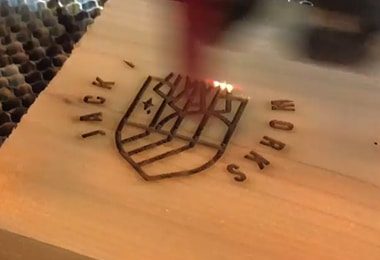
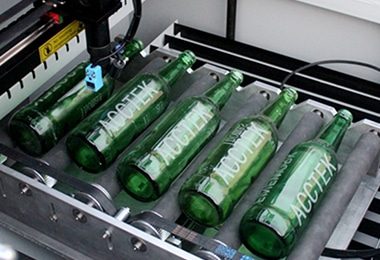
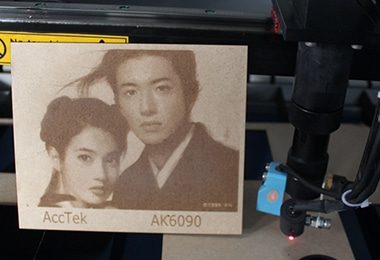
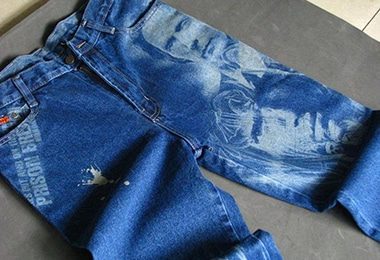
Applications of CO2 Laser Marking Machines

Comparison with Traditional Marking
| Comparison Item | Laser Marking | Dot Peen Marking | Inkjet Printing | Chemical Etching |
|---|---|---|---|---|
| Precision | High precision, capable of fine detail | Moderate precision, limited by machine setup | Moderate precision, depends on ink and surface | High precision, depending on the material |
| Speed | Fast, ideal for high-volume production | Slower than laser marking | Moderate speed, depends on material and setup | Slow due to the chemical process |
| Durability of Mark | Extremely durable, resistant to wear and corrosion | Durable, but may wear off over time | Temporary marks, easily smudged or faded | Durable, but can be affected by environmental factors |
| Material Compatibility | Works on metals, plastics, ceramics, and more | Works on metals and some plastics | Works on most materials, but not on metals easily | Works on metals, plastics, glass, and ceramics |
| Mark Type | Permanent marks, including text, logos, and images | Permanent marks, usually text or basic designs | Temporary marks, often used for product labeling | Permanent marks, usually text or logos |
| Surface Finish | Smooth, clean finish without residue | Leaves a small indentation or mark | Often leaves ink residue, can smear | Leaves a rough, etched finish |
| Cost of Equipment | High initial investment, low operating costs | Moderate cost for the machine | Low initial cost, but higher running costs (ink) | Moderate cost, ongoing chemical and safety costs |
| Maintenance | Low maintenance, requires minimal intervention | Requires more maintenance for mechanical parts | Moderate maintenance for print heads and ink refills | High maintenance, requires handling chemicals safely |
| Environmental Impact | Very low | Dust pollution | Produces chemical waste (ink cartridges, solvents) | Environmental hazards due to chemical use |
| Waste Generation | Minimal dust | Large abrasive waste | Small residue | Minimal |
| Consumables Required | None or minimal | Abrasive media | Dry ink or solvent cartridges | Process chemicals |
| Secondary Cleaning Needed | Rarely | Often | Sometimes | Rarely |
| Operating Cost | Low long-term | Medium | High cost per unit due to ink consumption | Low cost per unit, but chemical disposal adds cost |
| Initial Equipment Cost | Higher | Low | Medium | High |
| Automation Capability | Very high | Limited | Moderate | High |
| Cleaning Speed | Fast | Fast | Medium | Medium |
| Maintenance Requirements | Low | High due to wear | Moderate | Gas system maintenance |
| Safety Risk | Low with proper shielding | Dust inhalation risk | CO2 handling risk | High voltage/gas risk |
| Energy Consumption | Moderate electrical power | Compressed air required | CO2 pellet production | Electrical and gas power |
| Surface Preparation Quality | Excellent for welding/painting | Rough surface finish | Good | Highly activated surfaces |
| Suitable for Rust Removal | Excellent | Very effective | Limited | Limited |
| Suitable for Paint Removal | Excellent control | Effective but rough | Good | Limited |
| Industry Applications | Manufacturing, aerospace, restoration | Heavy industry, shipyards | Equipment maintenance | Semiconductor and electronics |
Why Choose AccTek Laser
Advanced Laser Technology
AccTek Laser integrates the latest advancements in laser marking technology to ensure high precision and consistent marking results. Our laser sources, combined with sophisticated control systems, offer exceptional beam quality and stability, enabling operators to produce high-contrast, durable marks on a variety of materials, including metals, plastics, and ceramics, with minimal surface damage.
Wide Range of Machine Options
AccTek Laser offers a diverse selection of laser marking machines, including fiber laser, CO2 laser, and UV laser models, with varying power levels and configurations to suit different marking needs. From compact desktop machines to large-scale industrial systems, we provide solutions for applications such as engraving, serial numbering, logo marking, and barcoding, ensuring the right fit for every industry.
High-Quality Components
AccTek Laser machines are constructed using only top-tier components sourced from trusted global suppliers. This includes durable laser sources, high-speed galvo scanners, and reliable control systems. These premium parts contribute to the overall stability, longevity, and performance of the machines, even under continuous, demanding industrial use.
Customization and Flexible Solutions
AccTek Laser provides customizable options to meet specific customer requirements. Whether it's adjusting the laser power, integrating rotary attachments for cylindrical objects, or adding automation systems, we offer flexible solutions that enhance productivity and operational efficiency. These customized solutions allow businesses to tailor the machines to their unique production processes.
Professional Technical Support
AccTek Laser offers comprehensive technical support throughout the entire lifecycle of the product. From machine selection and installation to operation training and troubleshooting, our expert team ensures that customers can fully leverage the capabilities of their laser marking machines. Our technical support helps minimize downtime and ensures that your operations run smoothly.
Reliable Global Service
AccTek Laser has a proven track record of serving customers across the globe. Our reliable international service network includes remote assistance, on-site support, and responsive after-sales services, ensuring that your machines are well-maintained and continue to operate at peak efficiency. We are committed to providing long-term support, maximizing uptime, and ensuring customer satisfaction worldwide.
Customer Reviews
Related Resources

A Comprehensive Comparison of Pad Printing and Laser Marking
A complete comparison of pad printing and laser marking for industrial applications, covering how each process works, mark quality, material compatibility, costs, durability, and how to choose the right method.

Laser Marking vs. Laser Engraving: Key Differences, Applications, and How to Choose
This article examines the key differences between laser marking and laser engraving, covering how each process works, their advantages and limitations, suitable materials, and guidance on choosing the right technique

What Does a Laser Marking Machine Do, and Are Laser Marks Permanent?
This article explains what laser marking machines do, how they work, whether laser marks are permanent, which materials they support, and how to choose the right system for your application.

Can Laser Marking Be Done on Curved or Irregular Surfaces?
Can laser marking be done on curved or irregular surfaces? Explore the challenges, technologies, best practices, and industry applications for achieving precise results on complex geometries.
Frequently Asked Questions
How To Choose CO2 Laser Sources?
- Laser Power Requirements: CO2 laser sources typically range from 30W to over 300W or higher. Lower power (30W–80W) is suitable for engraving and cutting thin materials like paper, leather, and thin wood. Medium power (80W–150W) handles thicker acrylic, wood, and plastics. Higher power (150W+) is needed for faster cutting speeds and thicker materials. Matching power to your application ensures efficiency without overloading the system.
- Material Compatibility: CO2 lasers are ideal for non-metal materials such as wood, acrylic, leather, rubber, and certain plastics. If your work mainly involves organic or non-metallic materials, CO2 lasers are the right choice. For metals, fiber lasers are generally more suitable, except for limited cases with coated or thin metals.
- Laser Tube Type (Glass vs. Metal RF): There are two main types of CO2 laser sources: glass tubes and RF (radio frequency) metal tubes. Glass tubes are more affordable and widely used in standard cutting machines, but they have shorter lifespans and require water cooling. RF metal tubes are more expensive but offer better beam quality, faster response, longer lifespan, and air cooling, making them ideal for high-precision and industrial applications.
- Beam Quality and Stability: Higher-quality laser sources produce a more stable and focused beam, resulting in cleaner cuts and finer details. This is especially important for detailed engraving or high-precision work.
- Cooling System Requirements: Glass tube lasers require water cooling systems, while RF metal tubes are usually air-cooled. Consider your workspace and maintenance capabilities when choosing between them.
- Lifespan and Maintenance: Glass tubes typically last 2,000–10,000 hours, while RF metal tubes can last 20,000 hours or more. Although RF sources have a higher upfront cost, they often provide better long-term value.
- Brand and Reliability: Well-known brands offer more consistent performance, better support, and longer warranties. Investing in a reliable laser source reduces downtime and maintenance costs.
- Budget and Application Needs: Balance your budget with your production requirements. For light or occasional use, a lower-cost glass tube may be sufficient. For continuous or high-precision production, an RF laser source is a better investment.
What Is The Price Of CO2 Laser Marking Machines?
- Entry-Level Machines: Basic CO2 laser marking machines typically range from $2,000 to $8,000. These systems usually use glass laser tubes with lower power (around 30W–60W) and are suitable for small businesses, hobby use, or light-duty marking. They often have manual or semi-automatic operation and limited advanced features.
- Mid-Range Machines: Mid-range CO2 laser marking machines generally cost between $8,000 and $25,000. These machines may offer higher power (60W–150W), larger working areas, and improved stability. They are commonly used in small to medium-sized production environments where consistent marking quality and moderate throughput are required.
- High-End and Industrial Systems: Advanced CO2 laser marking machines can range from $25,000 to over $50,000. These systems often use RF metal laser sources instead of glass tubes, providing better beam quality, faster response times, and longer lifespans. They may also include automation features, high-speed galvo systems, and integrated production line compatibility.
How Does The CO2 Laser Power Affect The Marking Speed And Depth?
- Effect on Marking Speed: Higher laser power allows the machine to mark at faster speeds while maintaining visible results. With more energy delivered to the material in a shorter time, the laser can move quickly across the surface without sacrificing marking quality. This is especially important in high-volume production, where efficiency and throughput are critical. In contrast, lower-power lasers require slower speeds to achieve the same level of marking visibility. If the speed is too high with low power, the mark may appear faint or incomplete. Therefore, operators often reduce speed when using lower wattage systems to ensure proper marking.
- Effect on Marking Depth: Laser power also directly influences how deep the laser can engrave into a material. Higher power increases the energy density at the نقطة of contact, allowing the laser to remove more material and create deeper engravings. This is useful for applications requiring permanent, wear-resistant marks such as serial numbers or industrial labels. Lower-power lasers are better suited for surface marking rather than deep engraving. They can produce clean and precise marks, but typically do not penetrate deeply into the material. For deeper results with low power, multiple passes may be required, which increases processing time.
- Balance Between Speed and Depth: There is often a trade-off between speed and depth. Higher power allows for both faster marking and deeper engraving, but excessive power can cause burning, charring, or material deformation, especially on sensitive materials like wood or plastics. Proper parameter adjustment is essential to balance quality and efficiency.
- Material Considerations: Different materials respond differently to laser power. Softer materials like wood or leather require less power, while harder or denser materials may need higher power for effective marking.
- Optimization Through Settings: In addition to power, factors such as speed, frequency, and focus also influence results. Optimal performance comes from adjusting all parameters together rather than relying on power alone.
What File Formats Do CO2 Laser Marking Machines Support?
- Vector File Formats (Primary Choice): Vector formats are the most commonly used and preferred for CO2 laser marking because they define designs using paths rather than pixels. This ensures clean, sharp edges and scalability without loss of quality. Common vector formats include DXF, AI, PLT, SVG, and EPS. These are ideal for logos, text, outlines, and precise patterns, especially when consistent line quality is required.
- Bitmap/Image Formats: CO2 laser marking machines also support raster image formats such as BMP, JPG, PNG, and GIF. These are typically used for engraving photos, shaded graphics, or complex images. However, image quality depends heavily on resolution. High-resolution images produce better engraving results, while low-resolution files may appear pixelated or lack detail.
- Text and Data Input: Many laser marking systems allow direct input of text, serial numbers, and barcodes within the software. This eliminates the need for external files in some cases. Variable data marking, such as sequential numbering or QR codes, is often handled directly by the machine’s control software.
- Software Compatibility: CO2 laser marking machines are usually operated through dedicated software like RDWorks, CorelLASER, or similar programs. These platforms support multiple file formats and often allow direct import from design software such as CorelDRAW or Adobe Illustrator. Proper file preparation, such as converting text to curves, ensures compatibility and prevents errors.
- File Preparation Requirements: Design files should be clean and properly structured before importing. This includes removing duplicate lines, ensuring closed paths for vector shapes, and setting correct dimensions. For image files, adjusting contrast and converting to grayscale can improve engraving quality.
- Layer and Color Settings: Some systems use color layers to assign different parameters, such as speed and power. Organizing designs by color can help streamline the marking process and allow multiple operations in one job.
- Resolution and Scaling: Bitmap files require appropriate resolution (DPI) for clear results, while vector files should be scaled correctly to match the machine’s working area.
How To Handle Fumes And Dust During CO2 Laser Marking?
- Install an Effective Fume Extraction System: A dedicated fume extractor is the most important solution. These systems capture smoke and airborne particles directly at the source and filter them through multi-stage filtration, including pre-filters, HEPA filters, and activated carbon filters. This setup removes both solid particles and harmful gases before releasing clean air back into the environment.
- Ensure Proper Ventilation: In addition to localized extraction, general room ventilation is important. Exhaust systems or ducting can help remove any remaining fumes from the workspace. For smaller setups, venting fumes outdoors may be sufficient, but industrial environments require more controlled filtration systems.
- Use Air Assist Systems: Air assist directs a stream of air at the marking area, helping to blow away smoke and debris as they are produced. This improves marking clarity and prevents residue from settling on the material or optics. It also reduces the risk of heat buildup and burning.
- Select Safe Materials: Material choice plays a major role in fume generation. Some materials, such as PVC or certain treated plastics, release toxic gases when exposed to a CO2 laser and should never be used. Always verify that materials are laser-safe before marking.
- Regularly Maintain Filters and Equipment: Fume extraction systems require routine maintenance. Filters should be checked and replaced as needed to maintain efficiency. A clogged filter reduces airflow and allows contaminants to escape into the workspace.
- Keep the Machine Clean: Dust and residue can accumulate inside the machine, especially around the work area and optics. Regular cleaning prevents buildup that can affect performance and pose a fire risk.
- Use Personal Protective Equipment (PPE): In cases where fumes cannot be fully controlled, operators should use appropriate respiratory protection. This is especially important during maintenance or when working with materials that produce strong emissions.
- Monitor Air Quality: In larger facilities, air quality sensors can help track particulate levels and ensure that ventilation systems are working effectively.
What Is The Lifespan Of CO2 Laser Marking Machines?
- Laser Tube Lifespan (Core Component): CO2 laser marking machines typically use either glass tubes or RF (radio frequency) metal tubes. Glass laser tubes generally last between 2,000 and 10,000 operating hours, depending on quality and usage. They are more affordable but require periodic replacement. RF metal tubes, on the other hand, have a much longer lifespan, typically 20,000 to 50,000 hours or more. They offer better stability, faster response, and require less maintenance, making them more suitable for industrial applications.
- Mechanical and Structural Components: The machine frame, motion systems, and electronics can last 8 to 15 years or more if properly maintained. These components are generally durable, and their lifespan depends on usage intensity and environmental conditions.
- Optics and Consumables: Lenses, mirrors, and protective windows may require periodic cleaning or replacement. Their lifespan varies based on usage and exposure to dust or fumes. Regular maintenance helps extend their service life and maintain marking quality.
- Cooling and Support Systems: CO2 laser marking systems often rely on water cooling for glass tubes or air cooling for RF tubes. Cooling systems such as chillers and fans can last many years, but must be properly maintained. Poor cooling can significantly shorten the life of the laser tube and other components.
- Operating Environment: A clean, stable environment with controlled temperature and low humidity helps extend machine lifespan. Dust, vibration, and unstable power supply can accelerate wear and lead to premature failure.
- Maintenance Practices: Routine maintenance is essential. Regular cleaning of optics, checking alignment, monitoring cooling systems, and replacing worn parts can greatly extend the machine’s usable life.
- Practical vs. Technical Lifespan: Even if the machine remains functional, some users choose to upgrade after 5–10 years to benefit from improved speed, software, or efficiency.
How To Maintain CO2 Laser Marking Machines?
- Clean Optical Components Regularly: Lenses and mirrors are critical to beam quality and must be kept clean. Dust, smoke residue, and debris can reduce laser efficiency and cause uneven marking. Use proper cleaning solutions and lint-free materials, and avoid touching optical surfaces directly.
- Maintain the Laser Tube: The CO2 laser tube requires careful monitoring. Check for stable output and signs of aging, such as reduced power or inconsistent marking. For glass tubes, ensure proper handling and alignment, as they are more fragile and have a limited lifespan.
- Monitor the Cooling System: Most CO2 laser marking systems, especially those with glass tubes, rely on water cooling. Regularly check coolant levels, water quality, and flow rate. Replace or filter the water periodically to prevent scaling or contamination. Poor cooling can lead to overheating and shorten the laser tube’s life.
- Keep the Machine Clean: Dust and residue can accumulate inside the machine, especially in the working area. Regular cleaning prevents buildup that may affect performance or create fire risks. Pay special attention to areas near the laser path and ventilation openings.
- Inspect Ventilation and Fume Extraction: Ensure that exhaust systems and filters are working properly. Clean or replace filters as needed to maintain airflow and prevent smoke from affecting internal components or optics.
- Check Mechanical Components: If the machine includes moving parts, inspect rails, belts, and motors for wear or misalignment. Proper lubrication and calibration help maintain accuracy and smooth operation.
- Verify Electrical Connections: Loose or damaged wiring can cause instability or failure. Periodically inspect cables, connectors, and power supplies to ensure safe and reliable operation.
- Update Software and Settings: Keep control software up to date and back up important files. Proper software maintenance ensures smooth operation and reduces the risk of errors.
- Follow a Maintenance Schedule: Establish a routine maintenance plan based on manufacturer recommendations. Regular inspections and timely replacement of worn parts help prevent unexpected downtime.
What Training Is Required To Operate CO2 Laser Marking Machines?
- Understanding Laser Principles: Operators should learn the basics of how CO2 lasers work, including how the laser beam interacts with materials. Key parameters such as power, speed, frequency, and focus must be understood, as they directly affect marking quality, depth, and contrast.
- Machine Operation Skills: Training should include hands-on use of the machine, such as starting and shutting down the system, setting parameters, positioning materials, and running marking jobs. Operators must also understand how to adjust settings for different materials like wood, acrylic, leather, or rubber.
- Software and Design Knowledge: CO2 laser marking machines rely on control software such as RDWorks, CorelLASER, or similar programs. Operators should learn how to import files, create text, edit designs, and manage layers. Basic familiarity with design software like CorelDRAW or Adobe Illustrator helps prepare vector graphics.
- Material Handling and Preparation: Proper preparation of materials is essential for good results. Training should cover how to clean surfaces, position workpieces, and choose appropriate settings based on material type. Understanding which materials are safe to process is also critical.
- Safety Training: Safety is a key part of operator training. Users must understand the risks associated with laser radiation, fumes, and fire hazards. This includes proper use of PPE, safe handling of materials, and awareness of emergency procedures such as using the emergency stop or fire extinguisher.
- Fume and Ventilation Awareness: Operators should know how to use ventilation and fume extraction systems effectively, especially when working with materials that produce smoke or harmful gases.
- Quality Control and Troubleshooting: Training should include identifying common issues such as uneven marking, burning, or low contrast. Operators need to adjust parameters and diagnose problems to maintain consistent quality.
- Basic Maintenance Knowledge: Operators should understand routine maintenance tasks like cleaning lenses and mirrors, checking cooling systems, and ensuring proper airflow. This helps prevent downtime and maintains performance.